If your website has a lot of content but still struggles to rank, the problem might not be quality—it could be structure.
Search engines prefer websites that are well-organized and easy to understand. This is where topic clusters come in.
Topic clusters help you organize your content in a way that improves both user experience and search visibility. Instead of creating random blog posts, you build a connected structure around a central topic.
In this guide, you’ll learn how to create topic clusters step by step and use them to improve your SEO performance.
What Are Topic Clusters?
A topic cluster is a group of related content pieces built around one main topic.
It usually consists of:
- A pillar page (main topic)
- Multiple cluster pages (subtopics)
- Internal links connecting them
The pillar page covers the main topic broadly, while cluster pages go deeper into specific areas.
All pages are linked together, creating a strong content network.
Why Topic Clusters Matter for SEO
Topic clusters help search engines understand your website better.
Instead of seeing isolated pages, search engines see a structured content system.
Benefits include:
- Better keyword rankings
- Improved site structure
- Stronger internal linking
- Higher authority on a topic
This approach also makes your content more useful for readers.
How Topic Clusters Work
The idea is simple:
- Choose a main topic
- Create a pillar page around it
- Write supporting articles (cluster content)
- Link everything together
This creates a clear relationship between pages and helps search engines identify your expertise.
Step-by-Step Guide to Creating Topic Clusters
Let’s break it down into simple steps.
1. Choose a Core Topic
Start with a broad topic that is relevant to your website.
For example:
- SEO
- Digital marketing
- Content writing
Make sure the topic has enough depth to create multiple articles.
2. Create a Pillar Page
Your pillar page is the main page that covers the topic broadly.
It should:
- Provide a complete overview
- Be detailed and well-structured
- Link to related subtopics
Think of it as the foundation of your cluster.
3. Find Supporting Subtopics
Break your main topic into smaller, specific topics.
For example, if your main topic is SEO, subtopics could be:
- On-page SEO
- Off-page SEO
- Technical SEO
- Keyword research
Each subtopic becomes a separate article.
4. Create Cluster Content
Write detailed articles for each subtopic.
Each article should:
- Focus on one specific idea
- Provide in-depth information
- Solve a particular problem
Avoid repeating the same content across pages.
5. Link Cluster Pages to the Pillar Page
Every cluster article should link back to the pillar page.
This signals to search engines that the pillar page is the main authority.
6. Link Pillar Page to Cluster Content
Your pillar page should also link to all cluster pages.
This creates a two-way connection that strengthens your site structure.
7. Use Proper Anchor Text
When linking pages, use clear and relevant anchor text.
This helps users and search engines understand what the linked page is about.
8. Keep Updating Your Cluster
SEO is not a one-time process.
Keep adding new cluster content and updating existing pages to stay relevant.
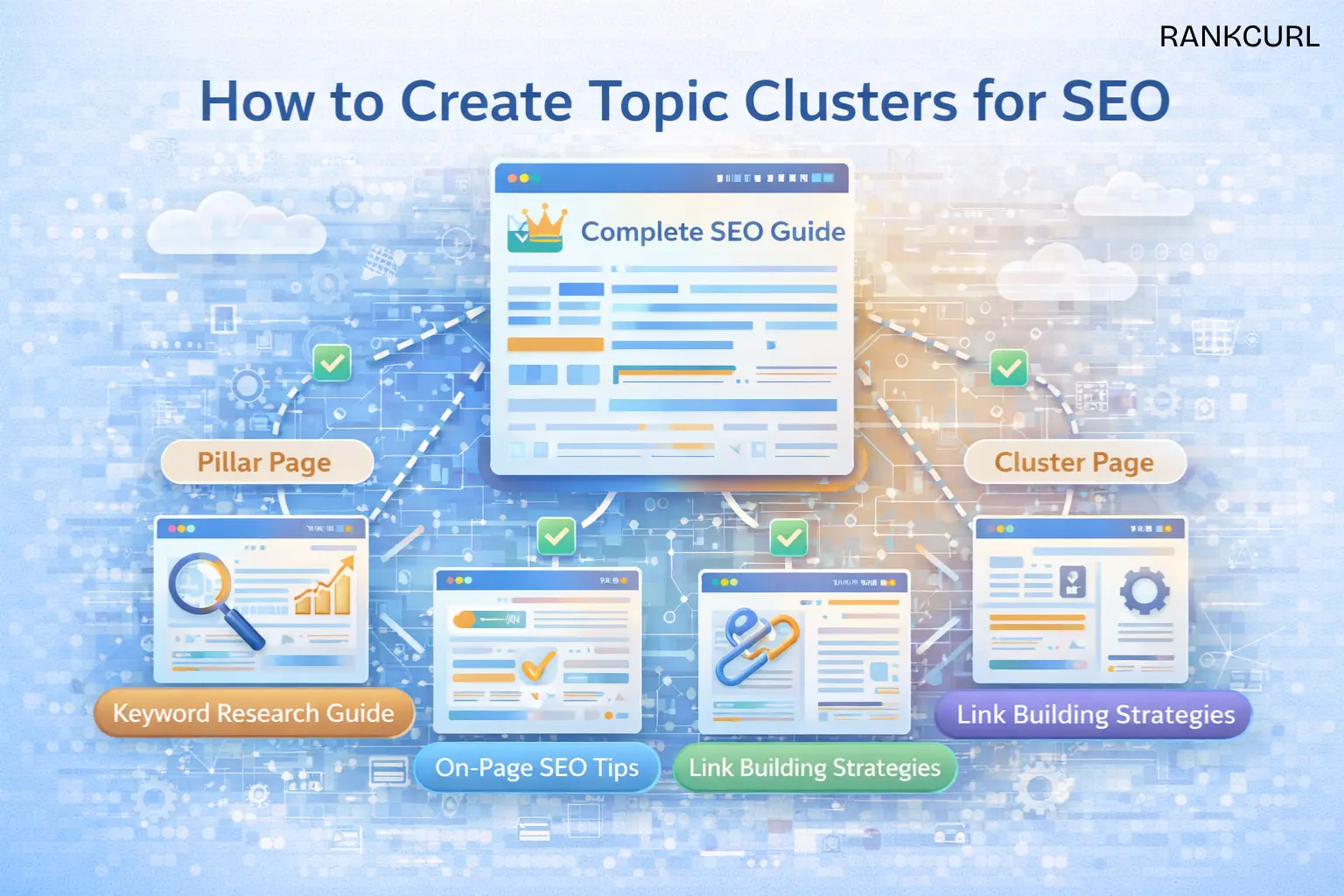
Example of a Topic Cluster Structure
Let’s say your main topic is “SEO Guide”
Your structure could look like this:
- Pillar Page: Complete SEO Guide
- Cluster Page: Keyword Research Guide
- Cluster Page: On-Page SEO Tips
- Cluster Page: Link Building Strategies
- Cluster Page: Technical SEO Basics
All pages are connected through internal links.
Common Mistakes to Avoid
While creating topic clusters, avoid these mistakes:
- Choosing topics that are too narrow
- Not linking pages properly
- Creating weak or thin content
- Ignoring user intent
- Not updating old content
Fixing these issues can improve your results quickly.
Topic Clusters vs Traditional Blogging
Traditional blogging often involves writing random posts without structure.
Topic clusters, on the other hand:
- Focus on a central theme
- Connect all related content
- Build authority over time
This structured approach performs better in search results.
Benefits of Using Topic Clusters
Here’s what you gain:
- Better search visibility
- Increased organic traffic
- Stronger website authority
- Improved user navigation
It also helps your content rank for multiple related keywords.
How Long Does It Take to See Results?
Topic clusters take time to show results.
You may start noticing improvements in a few weeks, but strong results usually come after consistent effort.
Patience and consistency are key.
Final Thoughts
Creating topic clusters is one of the smartest ways to improve your SEO.
It helps search engines understand your content, builds authority, and improves user experience.
Instead of publishing random articles, focus on building a connected content system.
Start with one topic, build your cluster step by step, and expand over time.
This approach will give you better rankings and long-term growth.
Leave a Reply